Laverna – Simple and Secure Notebook
Laverna is a free open-source note-taking application. It’s available for Windows, macOS, Linux, and as a web service. The authors announce that an Android version will be released soon.
Basic Features of Laverna Application
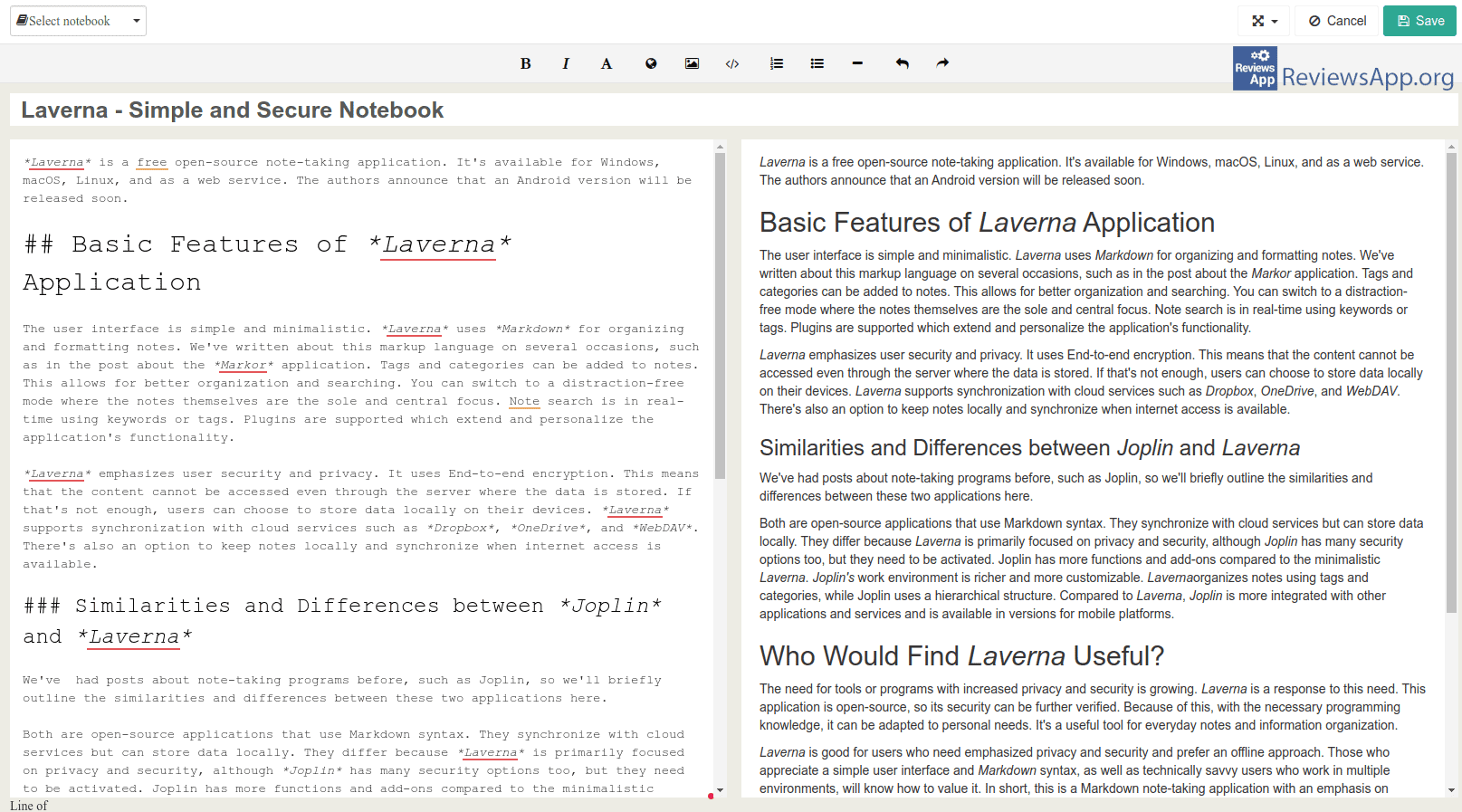
The user interface is simple and minimalistic. Laverna uses Markdown for organizing and formatting notes. We’ve written about this markup language on several occasions, such as in the post about the Markor application. Tags and categories can be added to notes. This allows for better organization and searching. You can switch to a distraction-free mode where the notes themselves are the sole and central focus. Note search is in real-time using keywords or tags. Plugins are supported which extend and personalize the application’s functionality.
Laverna emphasizes user security and privacy. It uses End-to-end encryption. This means that the content cannot be accessed even through the server where the data is stored. If that’s not enough, users can choose to store data locally on their devices. Laverna supports synchronization with cloud services such as Dropbox, OneDrive, and WebDAV. There’s also an option to keep notes locally and synchronize when internet access is available.
Similarities and Differences between Joplin and Laverna
We’ve had posts about note-taking programs before, such as Joplin, so we’ll briefly outline the similarities and differences between these two applications here.
Both are open-source applications that use Markdown syntax. They synchronize with cloud services but can store data locally. They differ because Laverna is primarily focused on privacy and security, although Joplin has many security options too, but they need to be activated. Joplin has more functions and add-ons compared to the minimalistic Laverna. Joplin’s work environment is richer and more customizable. Laverna organizes notes using tags and categories, while Joplin uses a hierarchical structure. Compared to Laverna, Joplin is more integrated with other applications and services and is available in versions for mobile platforms.
Who Would Find Laverna Useful?
The need for tools or programs with increased privacy and security is growing. Laverna is a response to this need. This application is open-source, so its security can be further verified. Because of this, with the necessary programming knowledge, it can be adapted to personal needs. It’s a useful tool for everyday notes and information organization.
Laverna is good for users who need emphasized privacy and security and prefer an offline approach. Those who appreciate a simple user interface and Markdown syntax, as well as technically savvy users who work in multiple environments, will know how to value it. In short, this is a Markdown note-taking application with an emphasis on security and privacy, so if you need something like that, try Laverna.
Platform:
Windows, Linux, macOS and web service

Rate:
 (No Ratings Yet)
 Loading...