Tags : Windows

Tutorials

How to enable HTTPS-Only mode in Mozilla Firefox

HTTPS is a security protocol, and it is the method for maintaining privacy and security on the Internet. This protocol establishes an encrypted connection between your internet browser and a web server that prevents eavesdropping or unauthorized alteration of the data exchanged between you and the website you are visiting. The HTTPS protocol’s main problem […]Read More


Browsers

Waterfox – an improved copy of Firefox

In the software market, we have a bunch of programs that all do the same thing, some better, some worse, some stand out for their specifications or business model, and some focus on a specific task. The point is that no matter what we want to do, we have a large selection of programs at […]Read More

Tutorials

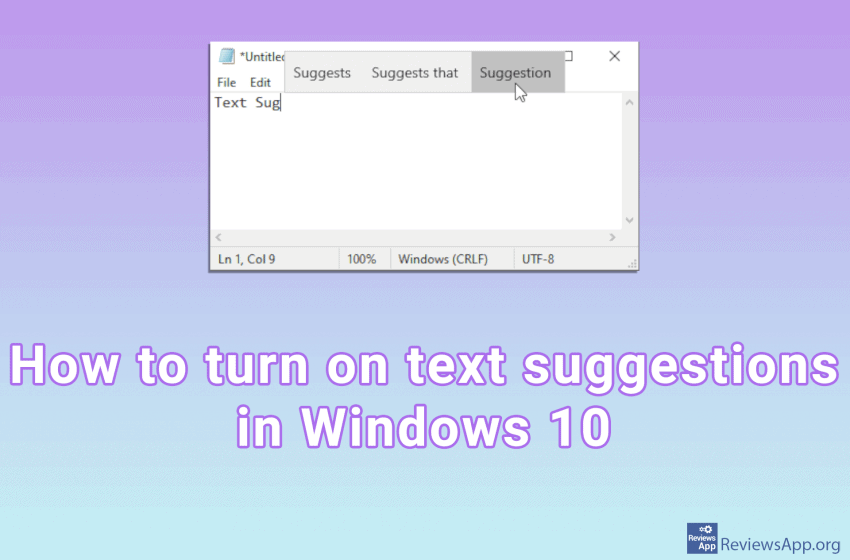
How to turn on text suggestions in Windows 10

Most of us have come into contact with automatic text suggestions when we are typing mobile phone messages. When we start typing a word, three suggestions will appear at the top of the keyboard, which we can tap, and the word will be written in our message. Did you know that Windows 10 also has […]Read More

News

Android apps on Windows 10

As smartphones and the apps that run on them evolve and get better every year, we are, understandably, using these mini-computers that fit in our pockets, more and more. Today, reading emails and newspapers or watching youtube is something we would rather do on our phone than on a computer or laptop. According to data […]Read More

Tutorials

How to enable plug-ins in Chrome’s Incognito mode

Plug-ins (Extensions) are automatically turned off when you use Incognito mode in Google Chrome. The reason is to protect your privacy. Namely, when you use Incognito mode, Chrome tries to preserve your anonymity on the Internet as much as possible. One way to achieve this is to turn off all plug-ins as they can potentially […]Read More